Since Google hates C++ developers and still haven’t finalized NDK support in Android Studio, we at Lextre call ndk-build manually, by using task( type: Exec ) in Gradle. However, we need to pass some parameters to it. For example, different build variants must use different output directories for object files, and we also need to set various flags depending on whether we are building debug or shipping configuration.
In general, it seems to be useful to know how to parametrize tasks based on chosen build variant (which is a combination of build configuration and product flavor).
The obvious solution – to create some variables in build.gradle and use them in task’s body – won’t work, because variables are computed and substituted during configuration step, while we only know the chosen build variant in build step.
The second obvious solution is to use project properties, which you can specify via -P key when running Gradle from command line. However, this is very inconvenient: we already specify build variant, which should tell Gradle everything it needs to know. Also, it would make building from Android Studio harder, if no impossible.
The problem is that the task’s configuration is immutable after the configuration step is complete. So, the solution is to have a different task for every build variant, each with its own configuration! Of course, to write them all by hand is a thing no sane person should do, especially as the number of build variants grow very fast with each added configuration or product flavor. Therefore, we need to automate task creation.
Gradle has a mechanism for that: Rules. Unfortunately, I haven’t managed to get it working. On the other hand, it looks pretty much the same as the solution I finally devised.
So, instead of Rules, I do this: Gradle allows you to iterate over the set of already-present tasks. I use this feature to find all tasks that compile a concrete build variant, and create a new task with an unique name and configuration, than make the old task depend on the new one. Without further delays, here’s the code:
tasks.withType(JavaCompile) {
        compileTask ->
              // NDK task name
            def ndkBuildTaskName = "ndkBuild_" + compileTask.name

              // NDK task parameters
            def obj_dir = "../../build/ndk/";
            def debug = 0;
            def shipping = 0;
            def km = 0;

              // Parse build configuration. If it's an umbrella task (which includes several configurations), skip it
            if ( compileTask.name.contains("Debug") )
            {
                obj_dir += "obj_debug";
                debug = 1;
            }
            else if ( compileTask.name.contains("Release") )
                obj_dir += "obj_release";
            else if ( compileTask.name.contains("Shipping") )
            {
                obj_dir += "obj_shipping";
                shipping = 1;
            }
            else
                return;

              // Parse product flavor. If there isn't one, skip this task
            if ( compileTask.name.contains("Google") )
                obj_dir += "_google";
            else if ( compileTask.name.contains("Amazon") )
                obj_dir += "_amazon";
            else if ( compileTask.name.contains("Km") )
            {
                obj_dir += "_km";
                km = 1;
            }
            else
                return;

              // Create a new NDK task with specified name
            tasks.create( ndkBuildTaskName, Exec ) {
                  // Set parameters to be used in Android.mk
                if ( shipping == 1 )
                    environment( "SHIPPING", "-DSHIPPING" );
                if ( debug == 1 )
                    environment( "DEBUG", "1" );
                if ( km == 1 )
                    environment( "PS_RU", "-DPS_RU" );

                  // Enable maximum safe number of cores for parallel builds
                int cores = Runtime.getRuntime().availableProcessors();
                int ndkThreads = cores > 1 ? cores - 1 : 1;
                if ( project.hasProperty('NDK_THREADS') ) {
                    ndkThreads = Integer.parseInt(NDK_THREADS)
                }

                  // Find ndk-build command
                def ndkRun = 'ndk-build'
                if ( project.hasProperty('NDK_RUN') ) {
                    assert file(NDK_RUN).exists()
                    ndkRun = NDK_RUN
                } else if (Os.isFamily(Os.FAMILY_WINDOWS)) {
                    ndkRun += '.cmd'
                }

                  // Run ndk-build. We have our .mk files in src/main/jni, but you may have them in some other location
                  // NDK_OUT specifies directory for object files. If not specified, it will always be 'obj'
                  // and it will break debug/release/shipping switch
                commandLine ndkRun, '--jobs', ndkThreads, '-C', file('src/main').absolutePath, "NDK_OUT=$obj_dir"
            }

              // Make java compilation task depend on newly created task
            compileTask.dependsOn ndkBuildTaskName
    }
I’ll be the first to admit that this might not be the most elegant solution, but still, it works and it’s flexible enough. If you know a better way to solve this problem, I urge you to share it in comments, because I searched Google in vain for one before, and haven’t found anything.
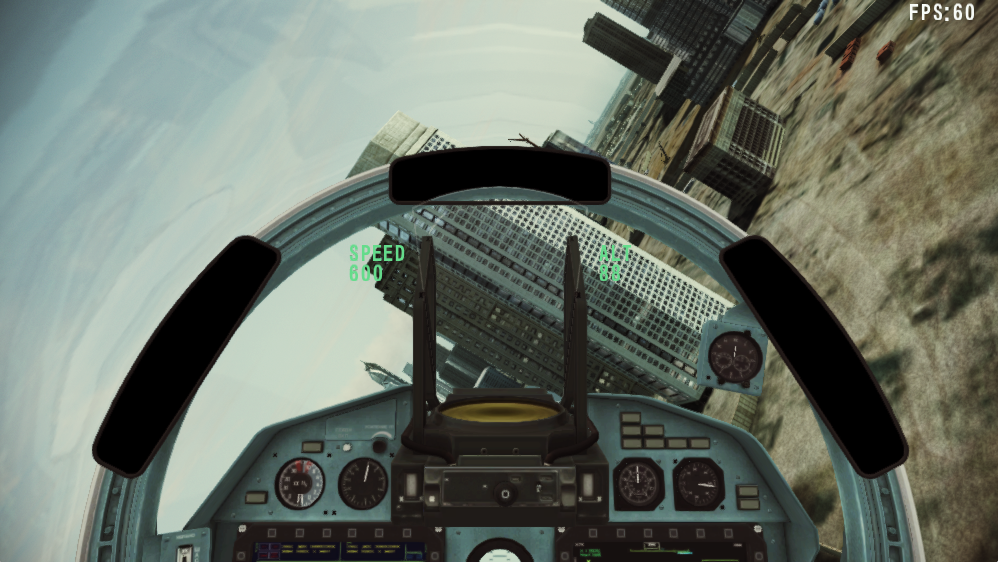 Camera modes could be changed with V key. Most cockpit avionics works, other requires more work on the flight model, so I’d like to leave it as it is for now.